Alert Monitoring Center

AI finds the events that matter. People handle them — your own team, a monitoring company, or both.

The Alert Monitoring Center is the IPTECHVIEW console for live video alerts. Cameras across every site detect people, vehicles and unusual activity; AI and schedules weed out the noise; workflow rules put each real event in front of the right operator with the clip, the live view and the site’s instructions attached — and every response is logged.

Events are aggregated by site and shown the way the moment needs: as a list to work the queue, a grid of snapshots to scan at a glance, or on the map for situational awareness across every location.

Book a DemoIn-house or monitoring company?

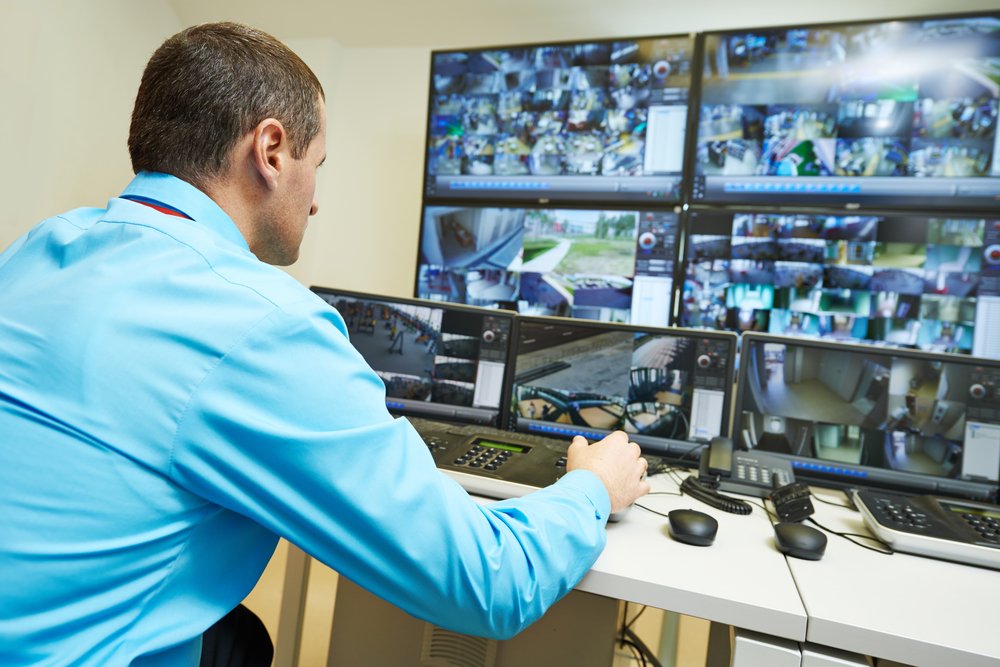
Security operator reviewing video surveillance footage on a wall of monitors

How the Alert Monitoring Center works

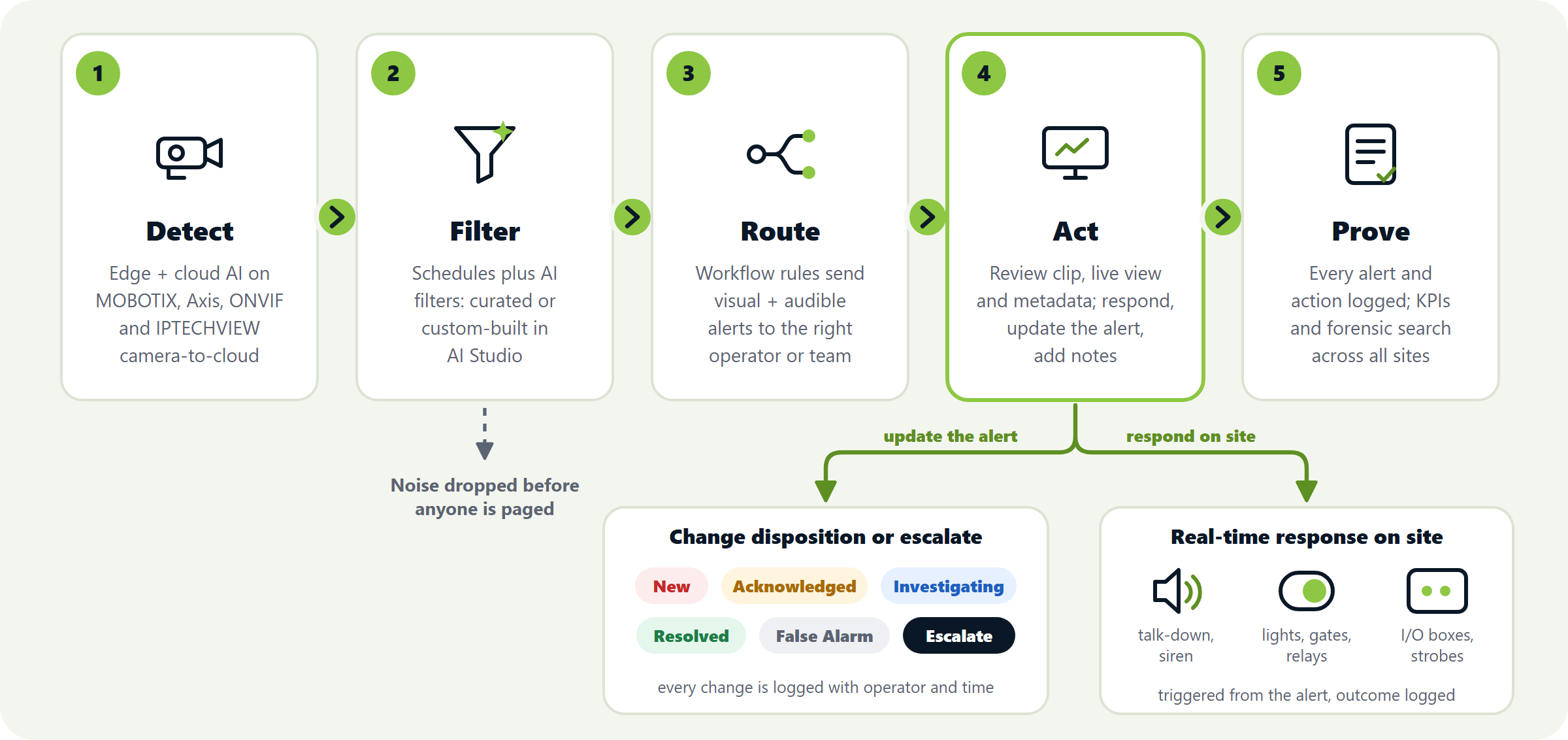
Five steps turn thousands of camera events into a short list of alerts a person can act on — and a record that holds up afterwards.

DetectAI runs at the edge and in the cloud on MOBOTIX, Axis and most modern ONVIF cameras, and on IPTECHVIEW’s own direct camera-to-cloud cameras.
FilterEvents are filtered by schedule, then by AI that decides whether an event deserves a person’s attention — using a curated solution or a custom one built in AI Studio for that site.
RouteWorkflow rules send a visual and audible alert to the operator or team monitoring that site.
ActThe operator reviews the clip, live view and event metadata, sets the disposition, triggers audio or switches on site through cameras or I/O boxes, and records notes or escalation steps.
ProveEvery alert, action and response is logged, with KPIs and forensic search across all sites for audits and reviews.
Alert Monitoring Center workflow: detect, filter, route, act and prove; from Act the operator changes the disposition or escalates, and triggers real-time response on site

Built for the operator’s chair

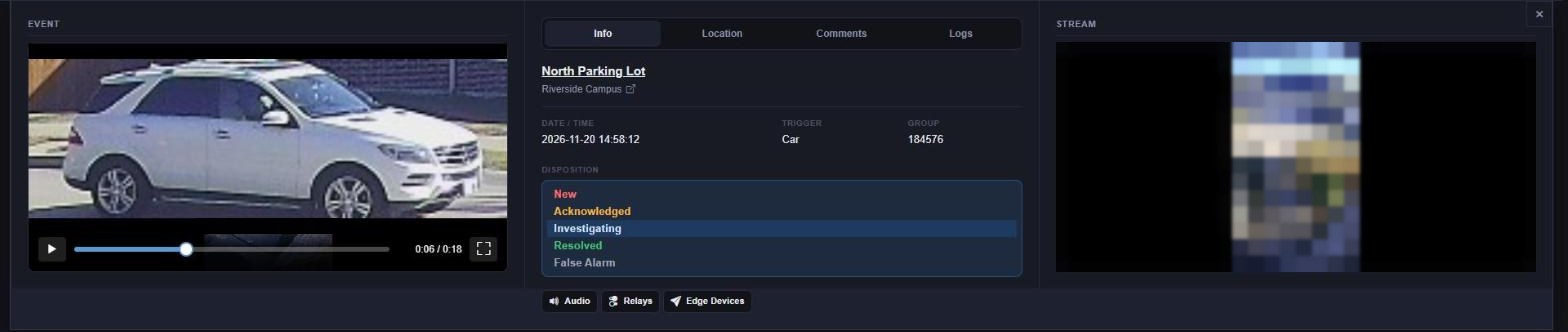
Everything an operator needs to decide in seconds is on one screen: what triggered, where, the clip, the live camera, and the buttons to respond. These are real screens from the Alert Monitoring Center console (people and private details blurred).

Operator event panel: event snapshot, the disposition options New, Acknowledged, Investigating, Resolved and False Alarm, on-site audio, relay and edge-device actions, and the live stream
The event panel: the event clip on the left; in the middle the disposition options (New, Acknowledged, Investigating, Resolved, False Alarm) and the on-site actions; the camera’s live stream on the right.
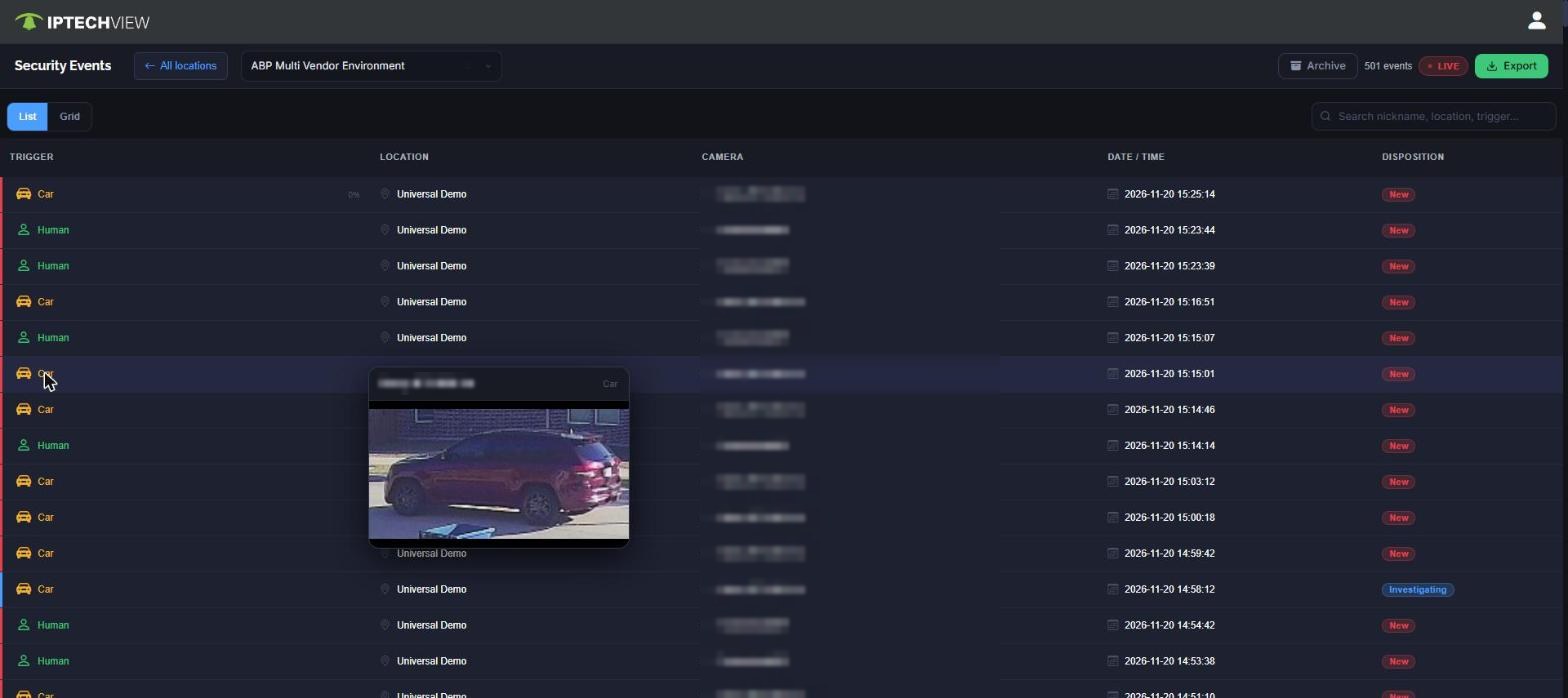
Live event queueNew alerts arrive in real time, newest first, with the trigger (person, vehicle…), site, camera, time and status. Hover any row to preview the snapshot.
Clip and live view side by sidePlay back the recorded event next to the camera’s live stream, so the operator sees what happened and what is happening now.
Clear dispositionsEvery alert moves through New, Acknowledged, Investigating, Resolved or False Alarm — so nothing is left open and the team knows who has what.
Respond on siteTalk down through camera speakers, switch lights or gates through relays, and trigger edge devices such as strobes and I/O boxes — without leaving the alert.
Site context attachedAddress, phone number and the site’s own instructions sit on the alert’s Location tab, so any operator can handle any site.
Notes and escalationOperators add comments to the alert as they work it; escalation steps and outcomes stay with the event.
Every action loggedA per-event log records which operator changed what and when — the audit trail is written as the work happens.
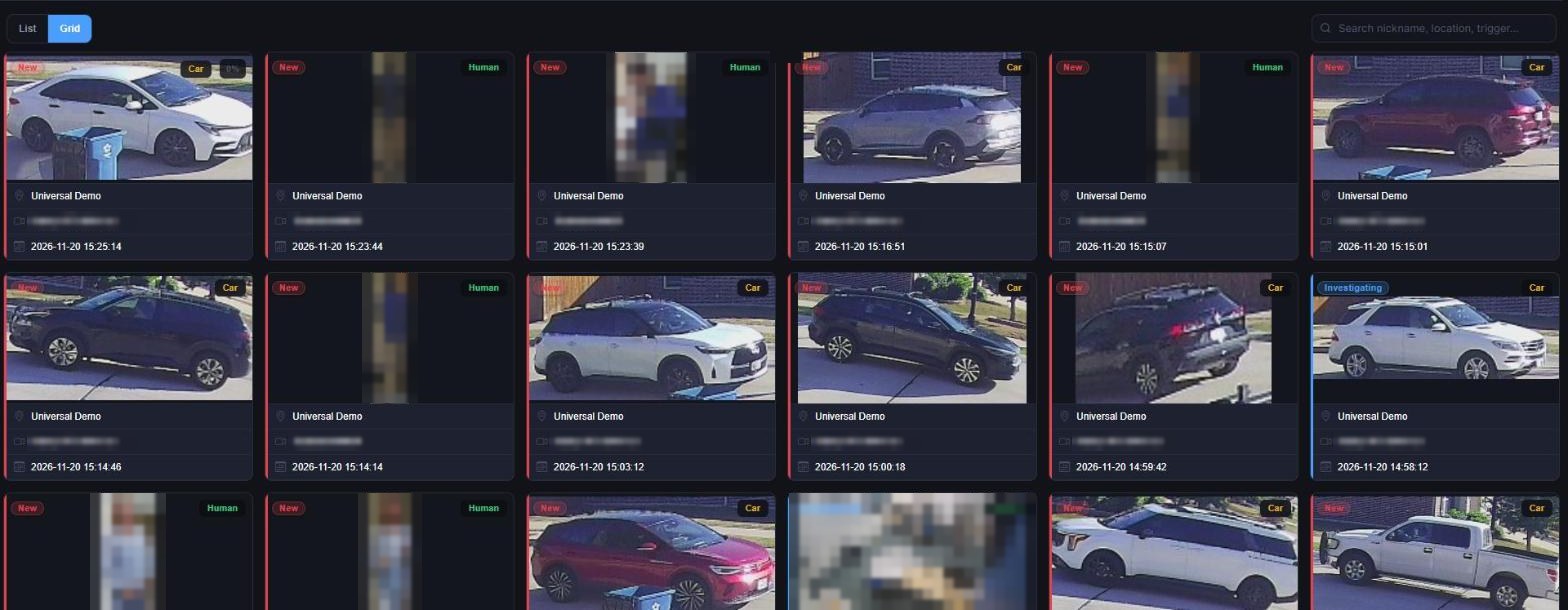
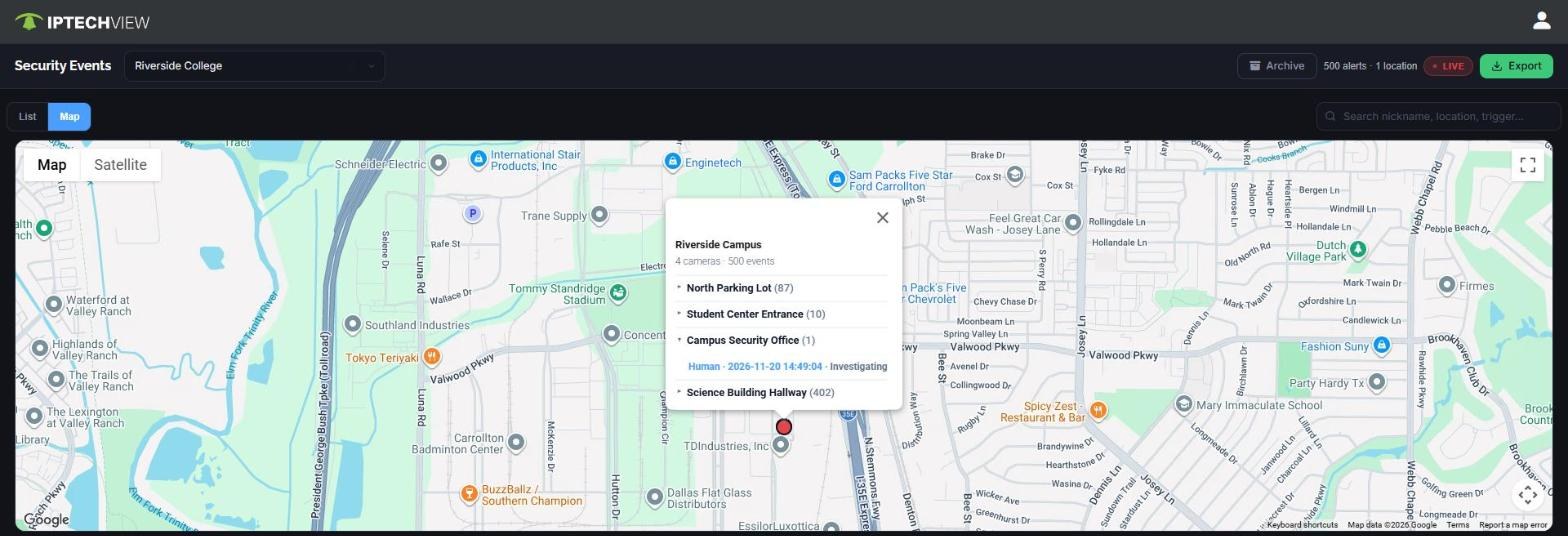
Aggregated by site: list, grid or mapEvents roll up by site. Work the queue in List view, scan dozens of snapshots in Grid view, or switch to the map for situational awareness — every site and its live alert status at a glance.
Audible alertsEach operator picks the volume and one of fourteen tones or alarms for new events, so a real alert is never missed on a busy desk.
Search, archive and exportSearch by camera nickname, location or trigger, review closed alerts in the archive, and export events for reports.

Live security event queue with trigger, location, camera, time and disposition, and a snapshot preview on hover
The live event queue, with a snapshot preview on hover.
Grid of event snapshots with trigger type and disposition badges
Grid view: dozens of events at a glance, each with its trigger and disposition.
Map view of a campus site: clicking the site shows its four cameras with alert counts and the latest alerts
Map view: click a site to see its alerts per camera, then open any alert straight from the list.

Monitor in-house, through a monitoring company — or both

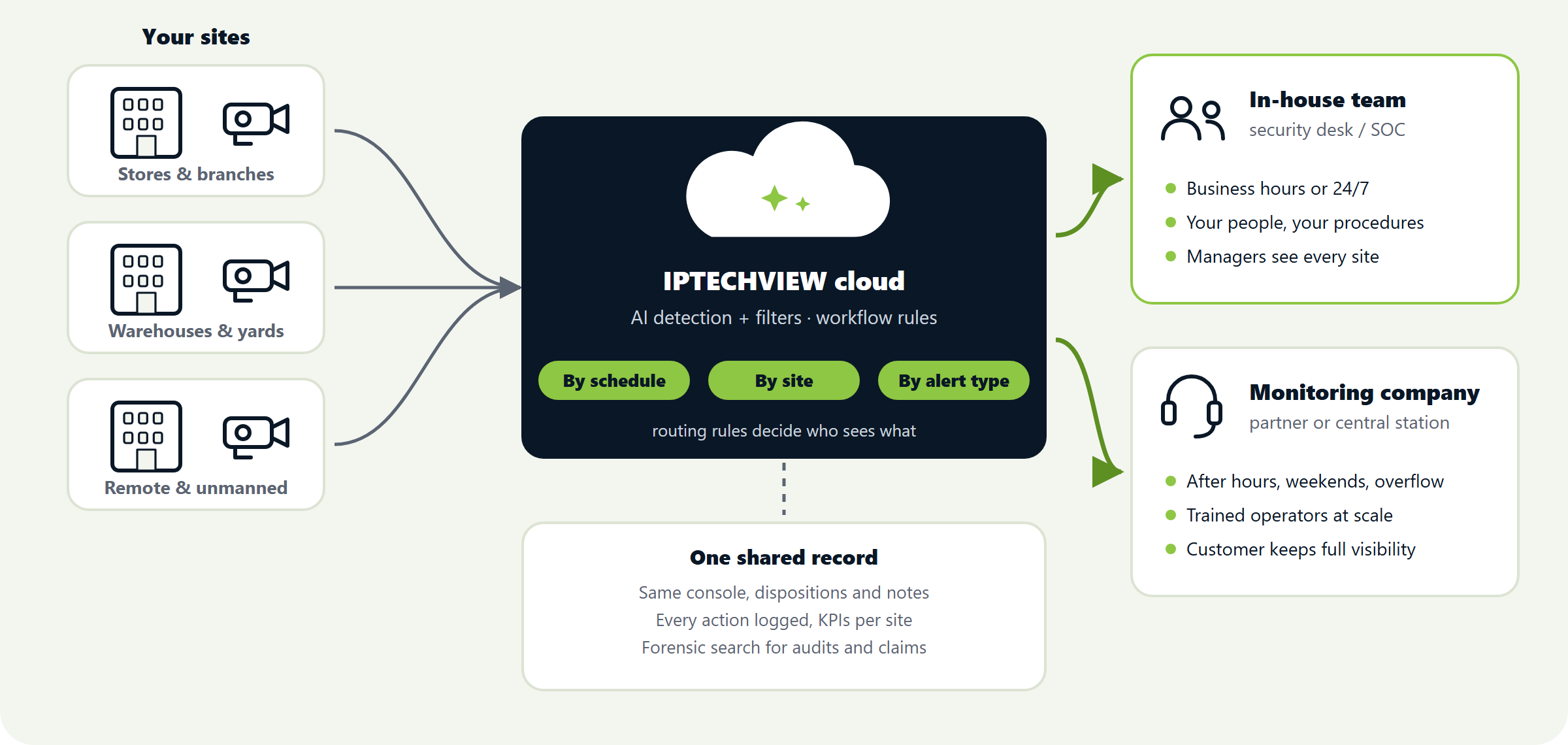
The console is the same either way. What changes is who sits in front of it — and routing rules can split that by schedule, by site or by type of alert.

Sites route alerts through the IPTECHVIEW cloud to an in-house team, a monitoring company, or both

Your own team

For businesses with a security desk, a facilities team or a SOC.

  • Your staff monitor your sites, with your procedures
  • Managers see every location in one view
  • Escalation rules run even when a manager is away
  • Roles and single sign-on mirror your directory

A monitoring company

For businesses without staff on watch — or that need cover at night.

  • A partner or central station watches the alerts
  • Trained operators, 24/7, at a monthly price
  • Your team keeps full visibility of every alert and response
  • Change provider without changing cameras or platform

Both, split by rule

The most common set-up for multi-site businesses.

  • Your team during business hours, the monitoring company after hours and weekends
  • High-risk sites or alert types always go to the central station
  • Overflow goes to the partner when your desk is busy
  • One shared record of every alert, whoever handled it

Where it fits best

Customer typeMonitoring challengeLead with
Municipalities and public facilitiesMany buildings and outdoor sites, small security staffAfter-hours intrusion alerts, a central SOC with escalation, health monitoring
Multi-site retail and hospitalityMany locations, thin IT, shrink and safetyAfter-hours alerts, people counting, slip-and-fall detection
Financial servicesHundreds of branches and ATMs, strict ITATM loitering and tailgating, forensic search, audit logging
Utilities and critical infrastructureUnmanned remote sites, limited linksIntrusion alerts with low false alarms, device-health alerts
Logistics and light industrialYards and docks across sites, safety compliancePPE compliance, dock dwell, KPI logging
Property management and senior livingA portfolio of sites, resident safety, vendor accessLoitering, fall detection, exit alerts, gate workflows

What each team gets

Monitoring operatorsFewer, better alerts with the clip and site context attached — and a clear next step.
Security and operations managersEvery location in one view, escalation rules that run without them, and forensic search across sites.
IT and complianceYour existing single sign-on, roles mirrored from the directory, full audit logging — and no servers to patch.
ExecutivesKPIs and trends on incidents and response times, from the same data the operators work with.
PartnersHealth monitoring and remote management across all accounts, plus a monitoring service to sell under their own plans.

The partner opportunity

Integrators and monitoring companies can turn the Alert Monitoring Center into recurring revenue of their own.

Your own service plansSell monitoring and AI support as recurring plans, alongside the platform subscription.
Your SOC or theirsMonitor customers from your own SOC, or let the customer’s team monitor while you manage the system.
White labelWhite-label options for partners and for large end users.
Billing handledSubscription billing with automated monthly invoicing, DaaS for qualifying projects and flexible financing programs.
Support that grows with youRemote support through your first deployments; certified partners get a higher discount and become eligible for leads.

See the Alert Monitoring Center on your own sites

Bring a site you want monitored — a store, a yard, a branch — and we will show you the alerts it would generate, how they would be filtered and who would see them.

Book a DemoBecome a Partner

Go deeper: Proactive Alerts & Video Monitoring · AI Supervision · Alarm System Integration · Centralized & Remote Management · Cloud VMS for Resellers